
Alis is the internal HR portal of BNP Paribas dedicated to managing working hours, leave, schedules, and on-call duties. For an employee who has just joined the group, the first challenge is not so much finding an identifier as understanding which tool to use, from which network, and what to do when the page is unresponsive.
Alis and myHR: two HR portals not to be confused
The BNP Paribas group provides its employees with several digital spaces. Alis and myHR do not cover the same areas. Confusing the two remains the most common mistake among newcomers.
Alis focuses on the operational management of time: entering hours, requesting leave, checking schedules, declaring on-call duties. myHR, on the other hand, gathers the employee’s administrative file (contract, pay slips, certificates, personal data).
An employee looking to request leave on myHR will not find the functionality. Conversely, checking a pay slip on Alis will not yield results. For the first few weeks in the group, the rule is simple: everything related to daily working time goes through Alis, while anything concerning the personal HR file goes through myHR.
Before even attempting to connect, it is useful to know how to access the Alis BNP Paribas portal after identifying the right tool for the right purpose.
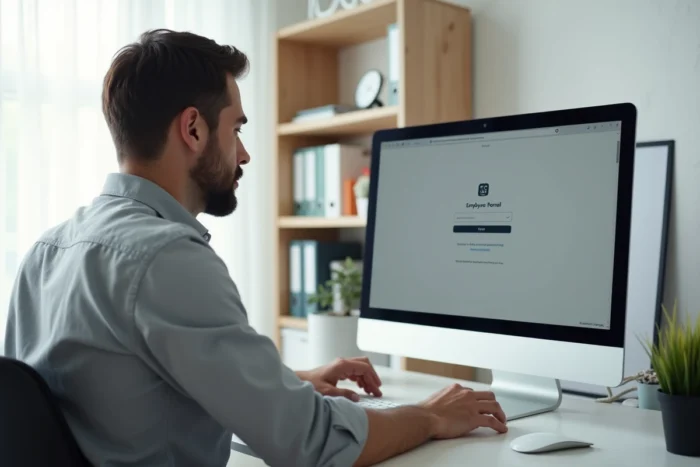
Connecting to the Alis portal: internal network and access constraints
The URL of the Alis portal is alis.hr.bnpparibas. This address primarily works from the internal network of BNP Paribas, meaning from a workstation connected within the company.
This is a point that many new employees discover too late. Unlike a traditional online banking service, Alis is not a public site accessible from any browser on any home network.
Why off-site access is problematic
Several technical elements can block remote connection:
- Browser extensions (ad blockers, personal VPNs, cookie managers) interfere with the secure authentication mechanism of the portal.
- The home Wi-Fi network or a public network does not have the security certificates required by the BNP Paribas infrastructure.
- A professional VPN access is sometimes necessary to simulate a connection from the internal network, but this VPN must be the one provided by the company, not a third-party service.
The first connection should ideally be made from a BNP Paribas workstation, on the company’s network. This recommendation comes directly from feedback from employee representatives who advise registering on-site before any remote attempts.
Identifiers and account creation
The identifier used for Alis is generally the internal HR identifier assigned upon the employee’s arrival. The password follows the group’s security rules. In case of blockage after several incorrect attempts, the reset goes through the internal support service, not through a standard online form.
Extended maintenance of the Alis portal: what to do when the page is unavailable
Since mid-2024, the portal alis.hr.bnpparibas intermittently displays a maintenance message with no announced return date. This situation changes the usual response to the question “how to connect” into a more pragmatic question: where to turn when Alis is unavailable.
This type of extended maintenance is not uncommon for an internal portal of this scale. Security updates, server migrations, or interface overhauls can explain service interruptions lasting several weeks.
Fallback solutions during maintenance
During Alis’s unavailability, employees are generally redirected to their direct manager or the nearby HR service for urgent requests (leave, time correction). Some functionalities may temporarily switch to myHR or a dedicated internal form.
The reflex to adopt: check the BNP Paribas intranet Echonet, which centralizes internal communications and reports ongoing service interruptions. If the Alis portal displays an error like “ERR_BLOCKED_BY_CLIENT” in the browser, the issue likely comes from a local extension or a non-compliant network, not from the maintenance itself.

Alis features beyond leave management
Reducing Alis to a simple leave request tool would be a mistake. The portal integrates several modules related to the daily organization of work.
The management of on-call duties and team schedules is one of the least known uses among newcomers. Managers access it to organize rotations, and employees can consult their projected schedule over several weeks.
A more unexpected aspect: the group’s skills sponsorship program, known as “1 Million Hours 2 Help,” is partially linked to the HR space Alis. This program allows employees to dedicate work time to charitable missions. The request and tracking of these hours go through the portal, making it both a tool for employee engagement and an administrative management tool.
Resolving authentication issues on Alis BNP Paribas
When the login page does not load or returns an error, a few simple checks can help isolate the problem before contacting support:
- Disable all browser extensions, especially ad blockers and privacy tools that filter network requests.
- Clear the cache and cookies of the browser, then try reconnecting in a private browsing window.
- Ensure that the BNP Paribas professional VPN is activated if the connection is made from outside. A personal VPN (NordVPN, ExpressVPN, or others) will not work.
- Test with another browser: Chrome and Edge are the best supported by the group’s internal portals.
If the problem persists after these steps, the internal IT service desk remains the only authorized contact to unlock an account or diagnose a network issue specific to the workstation.
For an employee newly arrived at BNP Paribas, the key is not to multiply failed connection attempts, which can lock the account. It is better to make the first connection on-site, with the help of the manager or the team’s IT referent, and only attempt remote access once the account is fully activated.